

Making Enemies
This page is a step by step guide to making a 2D platformer
Making Enemies
Create a new scene with a CharacterBody2D and rename this to Slime.
Give it 3 child nodes: an AnimatedSprite2D (rename to AnimatedSprite), a CollisionShape2D (rename to Collider), and a Killzone. The Killzone will also need a CollisionShape2D as a child (rename to Collider).
To add the sprite, simply repeat the steps we used for the player, but this time picking a different sprite (e.g. slime_green.png).
For the Killzone, add a New RectangleShape2D to the Collider and make it roughly cover the slime. Make the slime Collider the same as the Killzone's one.
We need to give it some way to recognise walls and turn around. Add a RayCast2D as a child of Slime and move it to the centre of the sprite and rotate the arrow so it points forward and stays close to the edge of the sprite.
Duplicate this node and flip the arrow the other way. At this point I'd suggest renaming them RayCastLeft and RayCastRight (or something similar) so it's not confusing which is which when we put them in code.
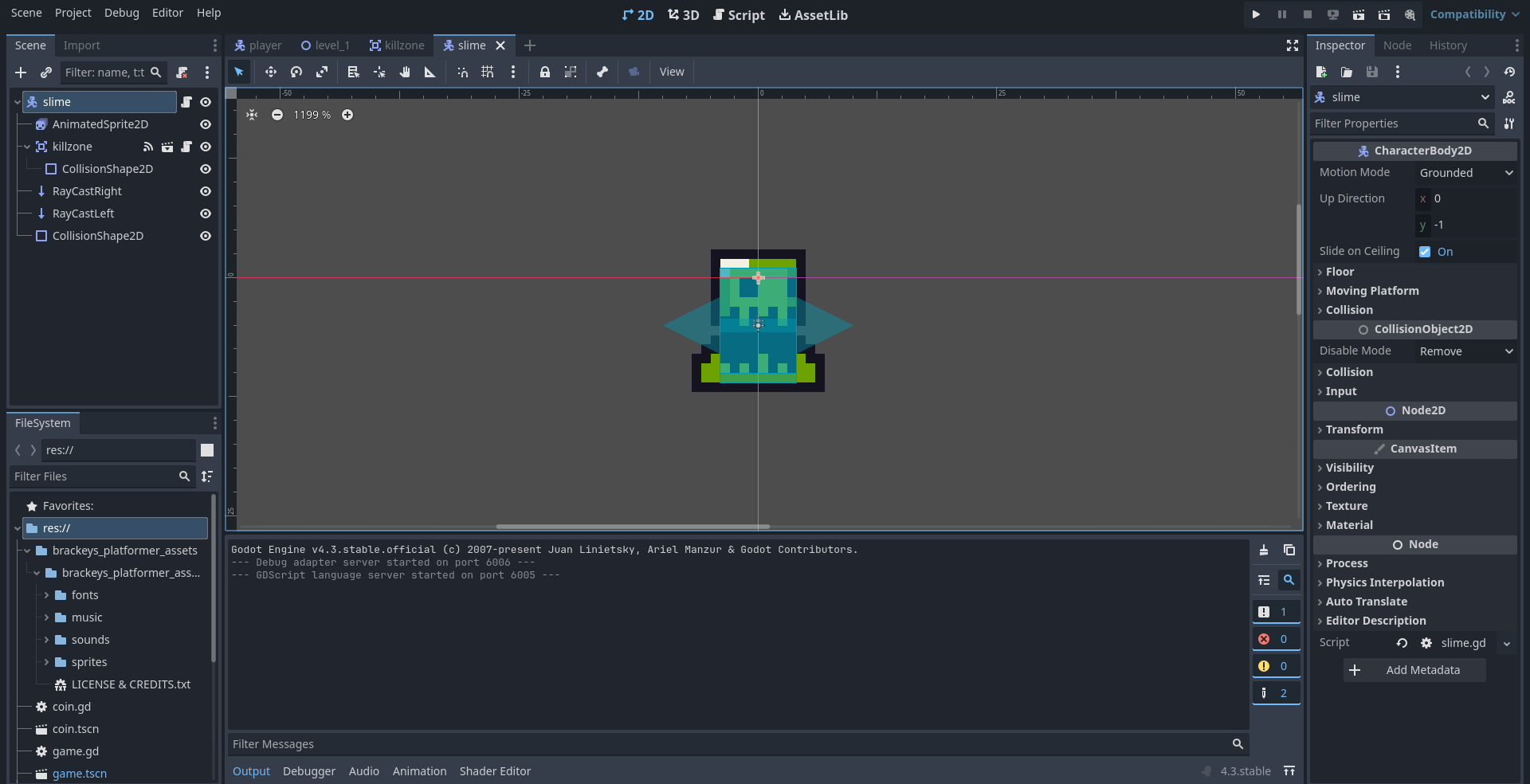
Now attach a script to Slime and change all the code to this:
extends CharacterBody2D
## Slime class, the enemy of the game
## Bounces off walls


# Constants
const SPEED = 30.0

# Variables
var direction = -1

# In-scene nodes
@onready var sprite = $AnimatedSprite
@onready var raycast_left = $RayCastLeft
@onready var raycast_right = $RayCastRight


# Update the slime's movement
func _physics_process(delta: float) -> void:
    # Add the gravity.
    if not is_on_floor():
        velocity += get_gravity() * delta

    # Change direction
    if raycast_left.is_colliding():
        direction = 1
    elif raycast_right.is_colliding():
        direction = -1

    # Set and apply velocity
    velocity.x = direction * SPEED
    move_and_slide()


# Update how the slime looks
func _process(_delta: float) -> void:
    if direction > 0:
        sprite.flip_h = false
    else:
        sprite.flip_h = true
Now you can add your Slime to your level and if you run into it, you will reset the level.
- I have added a new scene
- I have add the sprite and animations
- I have added the script