

knowledge hub
129
Making the Track
This page is a step by step guide to making a 2D Racing game
Making the Track
Give track1 a TileMapLayer and name it Foreground. This is where we'll make the track.
For the tileset, open the spritesheet_tiles.png. in the TileSet menu, set the texture region to 128 by 128 and in the inspector click on TileSet and change the tile size to 128 by 128.
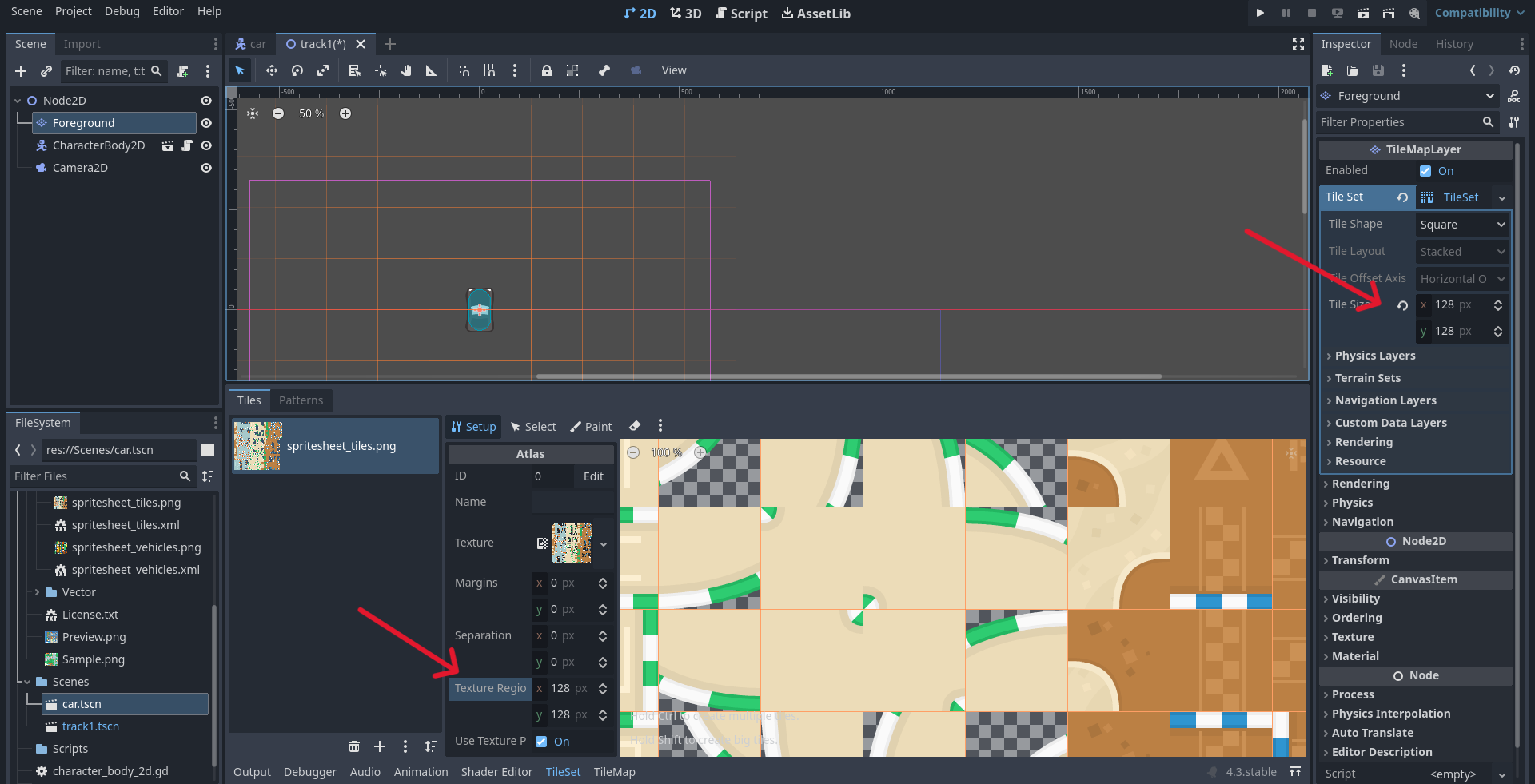
You may get errors and crashing after changing the tile sizes. If so, click on the TileMapLayer node, go to the TileSet menu, click the 3 dots by the eraser symbol, and click "Remove Tiles Outside the Texture".
Now you can draw your own track.
If you want to make a background, create a new TileMapLayer by duplicating the foreground, and draw using that as your base.
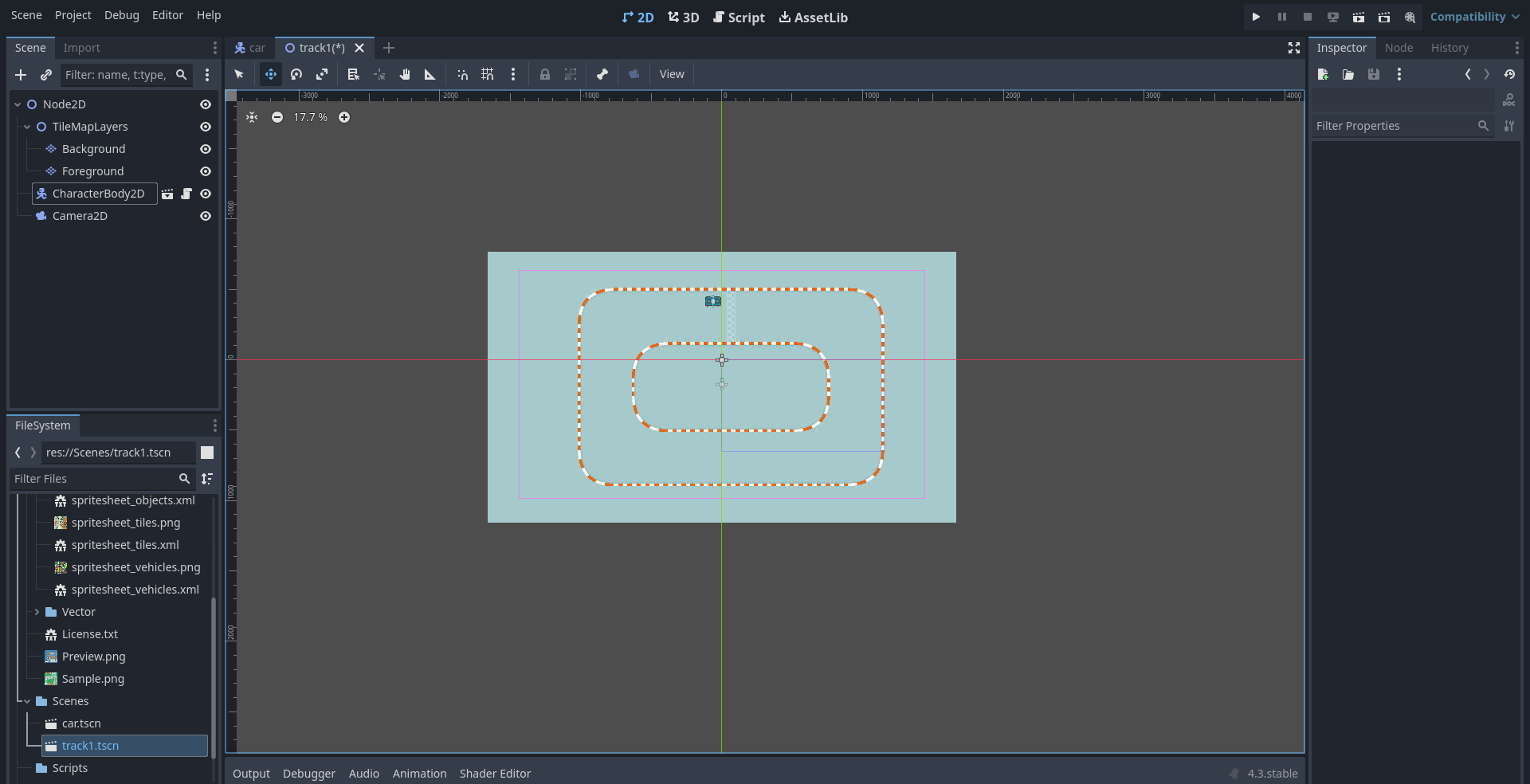
- I have added the TileMapLayer
- I have set up the TileSet
- I have created my track