

3D Intro
Making a simple project for 3D
This is a guide for making a 3-dimensional game in Godot. If you are unfamiliar with Godot, check out the Godot basics doc.
This guide is up-to-date with Godot 4.1.3 stable official release but will most likely work with any 4.x release.
Making the project
Making the project is just as easy as 2D. (check back on the [2D intro] if you need help setting up again)
As of Godot 4.3 this menu looks slightly different, it will automatically create a folder if you have the create folder tick-box checked!
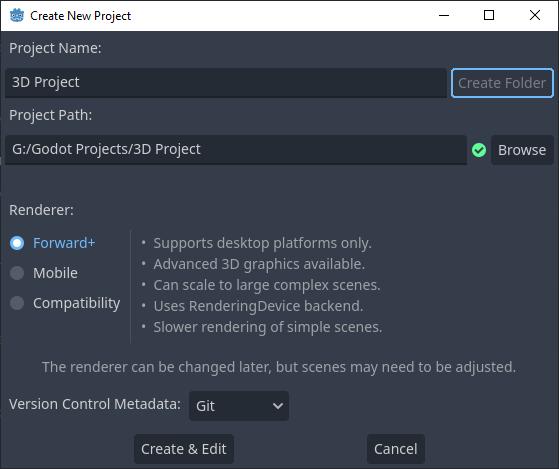
Make sure your project is set to Forward+.
In 2D, what renderer you choose has minimal effect on your final outcome due to how simple 2D images are to draw to a screen. With 3D, there is a large disparity between the renderers. Read the notes next to each renderer before picking something other than Forward+.
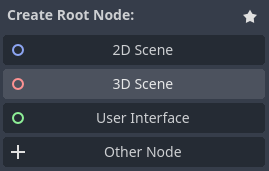
Set the root node to 3D and your project is set up!
Although, go ahead and save the scene with Scene > Save Scene so you have the scene file saved.
Setup
- Project named and folder set.
- Project renderer set accordingly.
- 3D Scene made.
- Saved scene as a file.