

First person camera
Making the basic player nodes.
Most modern 3D games have a first person camera, which can be pretty complicated. Open the script on your player.
In this script, add these lines below var gravity and above func _physics_process(delta)::
More likely than not you'll copy paste this with spaces instead of tabs. Godot is strict with using just tabs. After copy pasting this, replace all the space indents with tabs.
Make sure everything is indented the same amount as it shows on the site.
# Get the player camera
@onready var main_camera := $Camera3D

# Make the camera variables
var camera_rotation = Vector2(0, 0)
var mouse_sensitivity := 0.005


func _ready() -> void:
	# Remove the mouse from the screen and just capture its movement
	Input.set_mouse_mode(Input.MOUSE_MODE_CAPTURED)


func _input(event) -> void:
	# If escape is pressed reveal the mouse
	if event.is_action_pressed("ui_cancel"):
		Input.set_mouse_mode(Input.MOUSE_MODE_VISIBLE)

	# Get the mouse movement
	if event is InputEventMouseMotion:
		# Get how much the mouse has moved and pass it onto the camera_look function
		var relative_position = event.relative * mouse_sensitivity
		camera_look(relative_position)

# Rotate the camera
func camera_look(movement: Vector2) -> void:
	# Add how much the camera has moved to the camera rotation
	camera_rotation += movement
	# Stop the player from making the camera go upside down by looking too far up and down
	camera_rotation.y = clamp(camera_rotation.y, deg_to_rad(-90), deg_to_rad(90))

	# Reset the transform basis
	transform.basis = Basis()
	main_camera.transform.basis = Basis()

	# Finally rotate the object, the player and camera needs to rotate on the x and only the camera should rotate on the y
	rotate_object_local(Vector3.UP, -camera_rotation.x)
	main_camera.rotate_object_local(Vector3.RIGHT, -camera_rotation.y)
If you want to understand this code, you should read the Godot docs on Using Transforms. Then try making a third-person camera! (A camera that hovers behind the shoulder of the player)
You will need to add a capsule mesh to the CharacterBody3D, so the player is visible.
The tricky part here is the y rotation shouldn't be centered on the camera but on the player's head.
Here's an example of what it should look like:
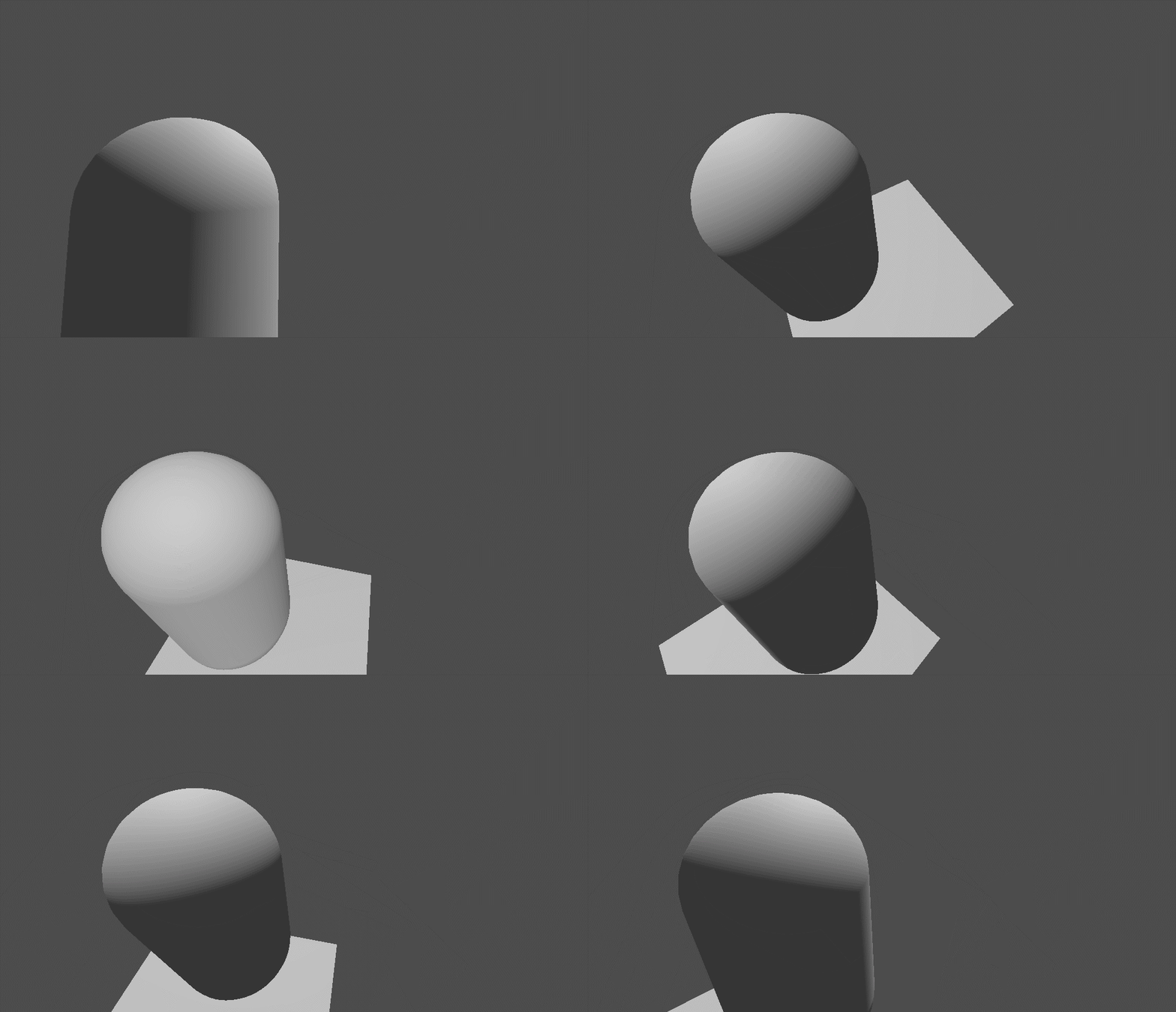
Camera
- Added code in the right spot.
- Spaces replaced with the correct amount of tabs.
- No errors in the code.