

knowledge hub
129
Track Barriers
This page works through creating a full 3D racing game step-by-step
Adding in your barriers
So the car doesn't go off track!
Making a barrier
Add another CSGPolygon3D and do the same steps as before to make the path barrier visible.
- Then, check
- Path Joined and the
- Use Collision checkboxes.
- Collision Priority to
10(as we don't want the car to get stuck into the barrier).
- Then, check
Rename this polygon to
Invisible Barrier, as it will be invisible soon!Making the invisible barrier
We need the shape to have two rectangles following along the edges of the road.
- To make two rectangles from this, change the size to be 8, and set the x & y coordinates like in the photo.
- The two light-blue outlines you see in the photo should be the end result.
- You will not see the polygon take shape until you've entered in all the corner positions.
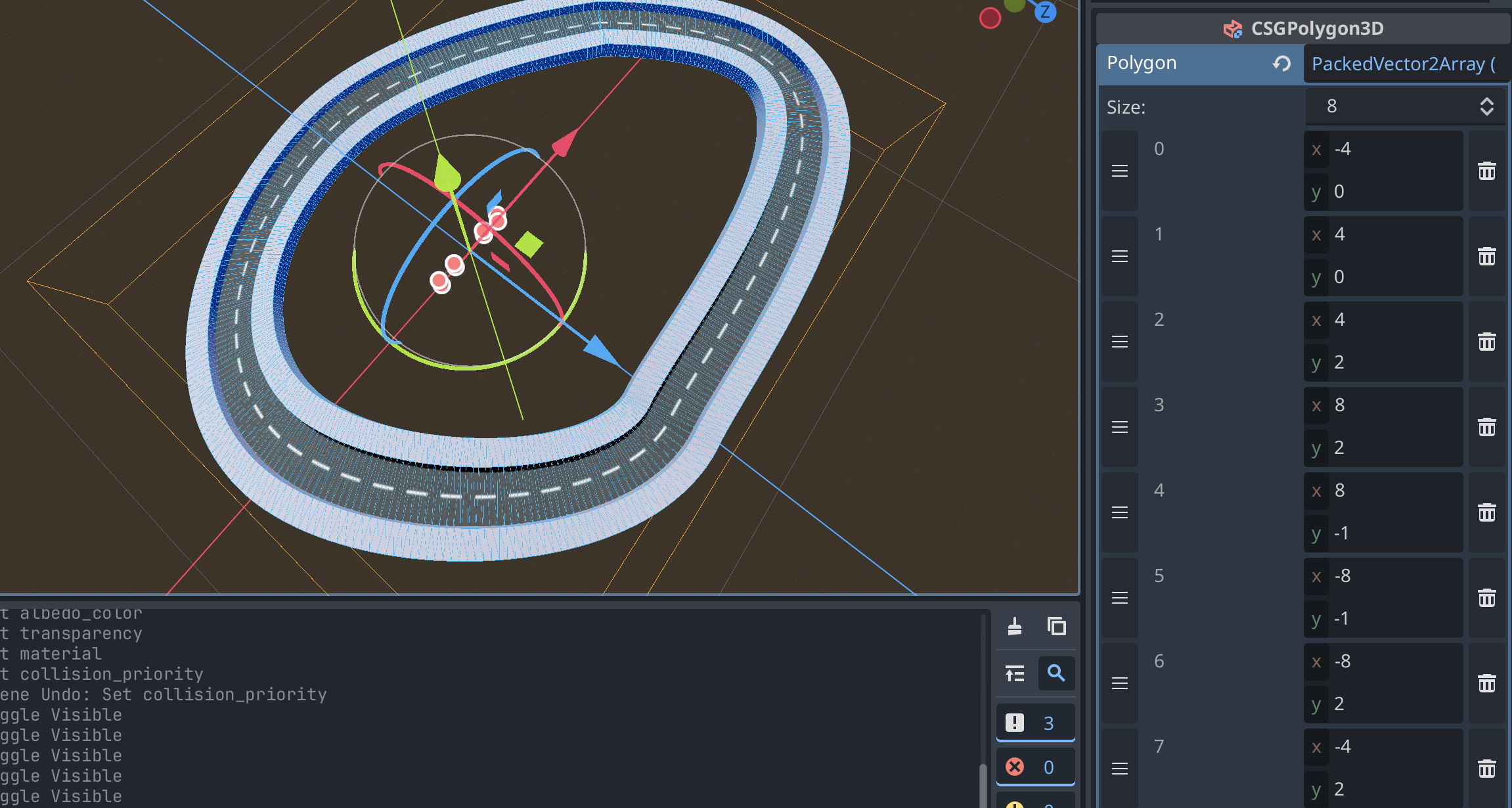
- Click the eye inside on the Road Barrier scene so that it isn't visible.
- Then test it out!
Creating your racing barrier bars
To make this look like a racing track, there are usually good looking race track barriers instead of the blocky barrier we've just made.
- Repeat the steps in making a barrier
- Rename to
Road Barrier Left, and add in these points: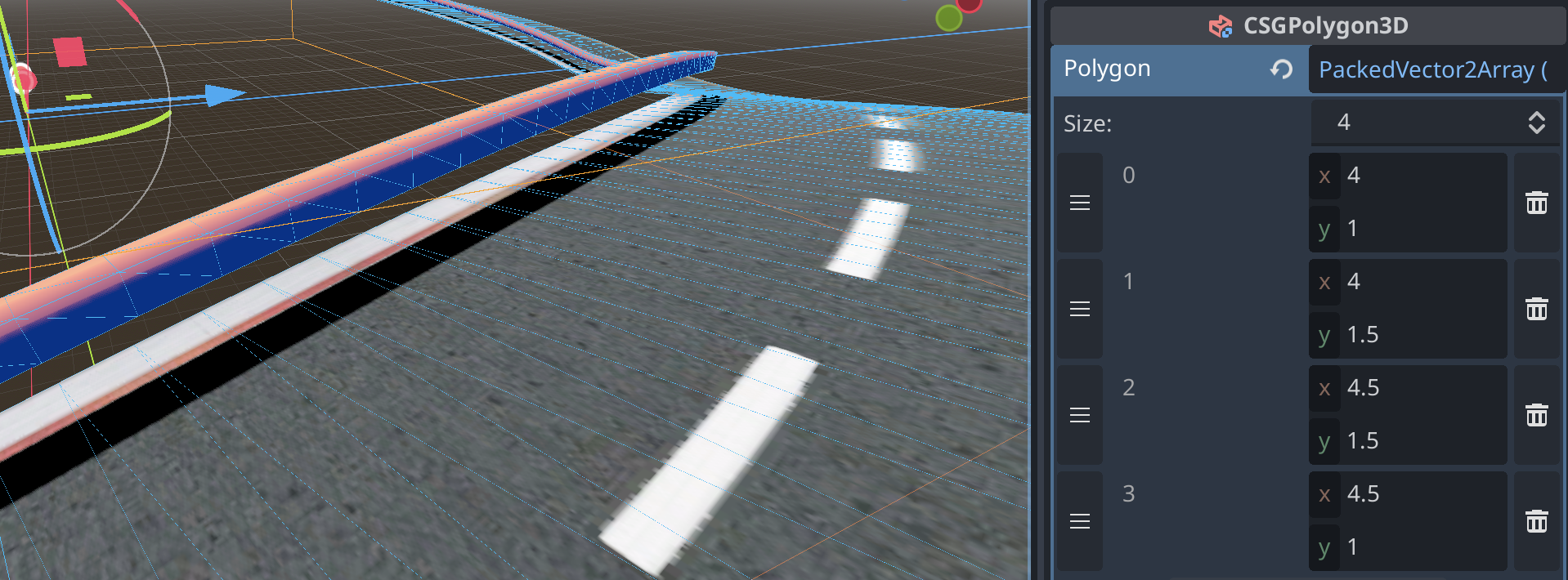
- CTRL/CMD D to duplicate this barrier. Rename it to
Road Barrier Rightand try to change the points to be on the opposite side.Answer
- Change corners 0 and 3 to have their x = -4, then corners 1 and 2 to have their x = -4.5, so it's inside the invisible barriers collision area. - Change corners 0 and 1 to have their y = 1.5, then change corners 2 and 3 to have their y = 1, so the barrier is off the ground (around the cars height). - To customise this track, repeat the steps of adding a texture (NewStandardMaterial3D > Albedo > Texture), and I've added Smooth Faces to make the barrier look round.
Merging the road & ground: a hill
- Repeat the steps in making a barrier
- Rename to
Hill. - Add the same texture as the ground. Previous instructions here (start at step 6).
- Try to change the points to be from the bottom of the road to the top of the ground, all the way around.
Hint: how I did it
- Change corner 0's x = -20, corner 1's x = -6, corner 2's x = 6, and corner 3's x = 15. - Change corners 0 and 3 to have their y = -10, then change corners 1 and 2 to have their y = -0.5.
Test it out again!
Current look
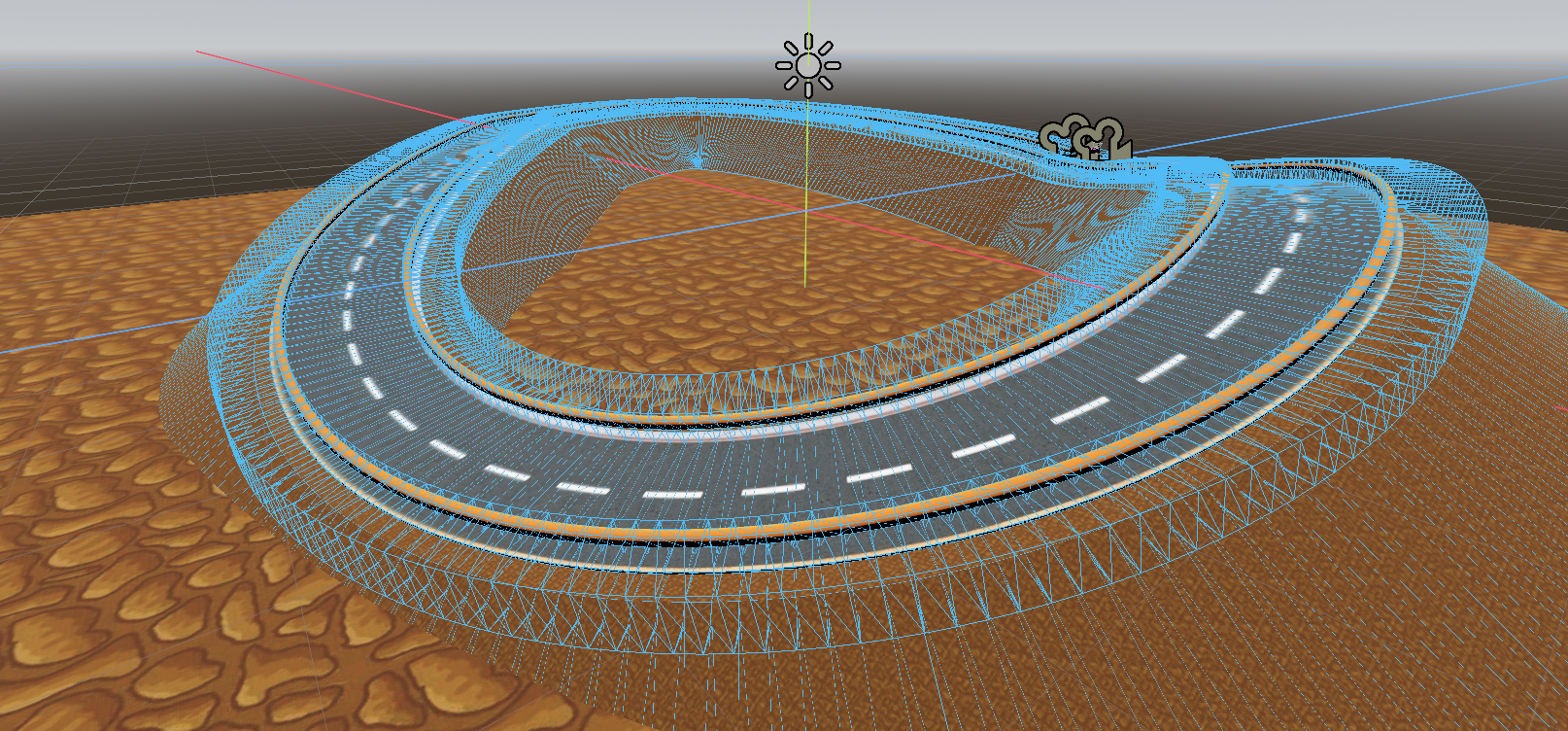
Checklist: I've built...
- An invisible barrier
- A left & right race track barrier
- A hill for the track.